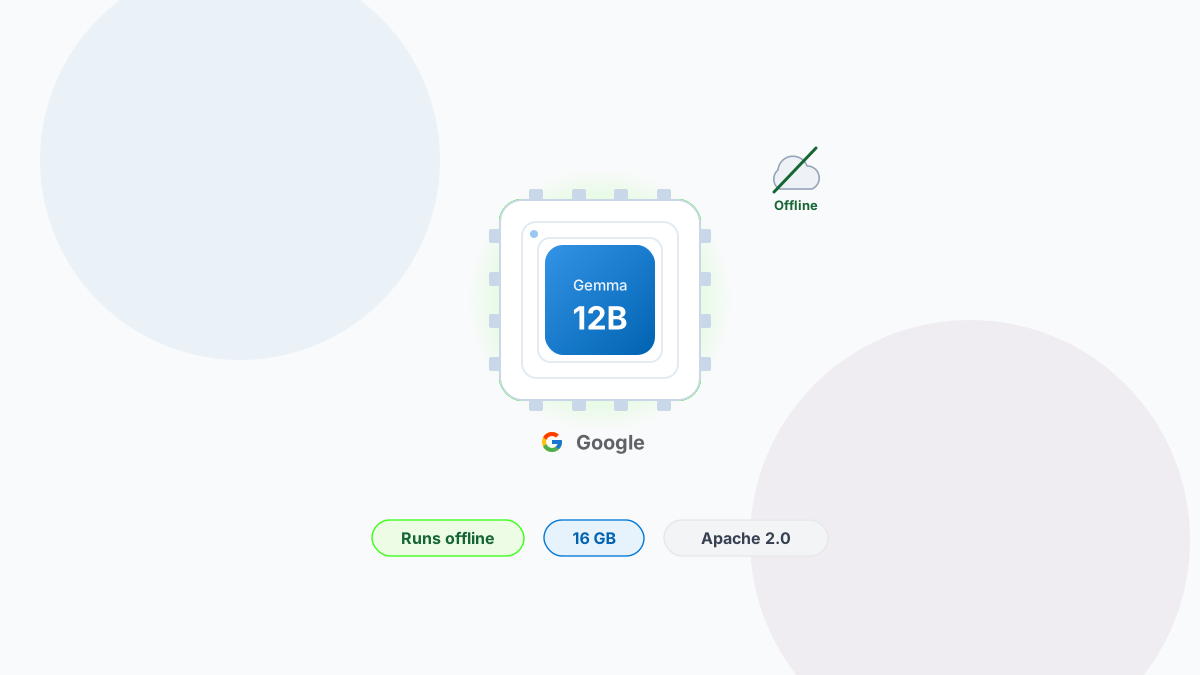
On June 3, 2026, Google DeepMind released Gemma 4 12B, an open-weights AI model that breaks an old trade-off. Running a genuinely capable multimodal model used to mean renting cloud GPUs or settling for a heavily cut-down version on your own hardware. Gemma 4 12B asks you to do neither.
It fits on a laptop with 16 GB of memory - most modern MacBooks included - runs completely offline, and is free to use, modify, and ship commercially under the permissive Apache 2.0 licence. The kind of model that until recently lived only in a data centre now sits on the machine in front of you.
A capable generalist in a small package
At just under 12 billion parameters, the model handles text, images, audio, and video, with a context window of up to 256,000 tokens and support for more than 140 languages. It sits in the middle of Google's Gemma 4 family - more capable than the lightweight E2B and E4B models built for phones, lighter than the larger 26B mixture-of-experts model aimed at heavier hardware.
It is also the first mid-sized Gemma that can listen. Native audio input used to be reserved for the smallest edge models; now it is built into a model you would reach for on real work - transcription, voice agents, or reasoning over a recorded meeting, with no server in the loop.
How it works: cutting out the middlemen
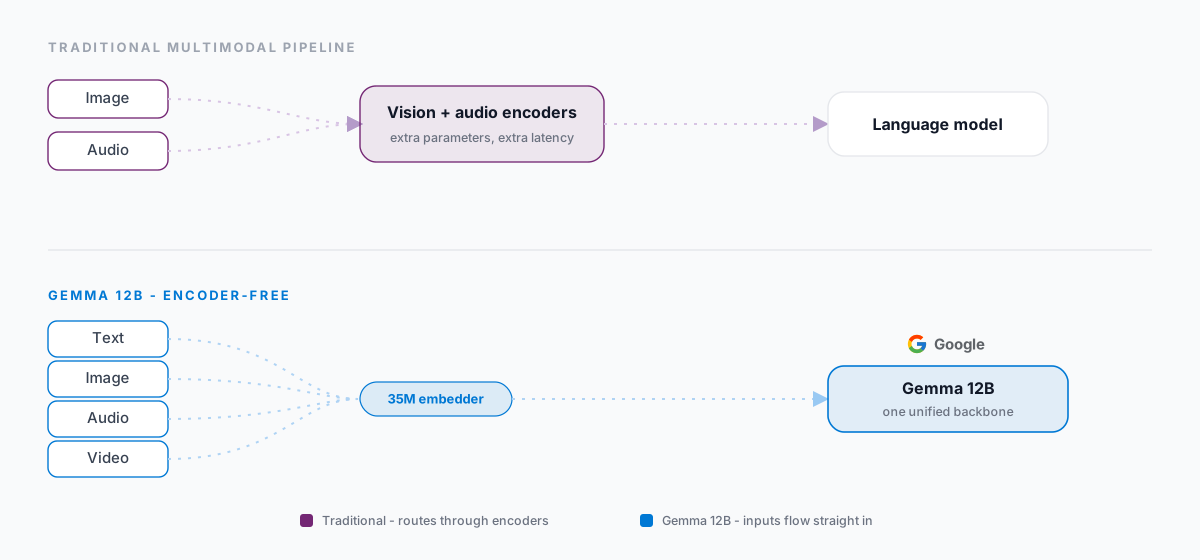
Most multimodal models are really several models stitched together. A separate vision encoder turns images into something the language model can read; a separate audio encoder does the same for sound. Those encoders work, but they are heavy - extra parameters, extra steps, and extra lag every time you feed in a picture or a clip.
Gemma 4 12B takes them out. Images and audio flow straight into the language model's core, with no dedicated encoder in the way. A small 35-million-parameter embedder slices each image into 48-by-48 patches and projects them directly into the model - no extra attention layers, no translation tax. The payoff is exactly what you want for running locally: a smaller memory footprint and noticeably less lag on anything that is not plain text.
Smaller, but barely a step behind
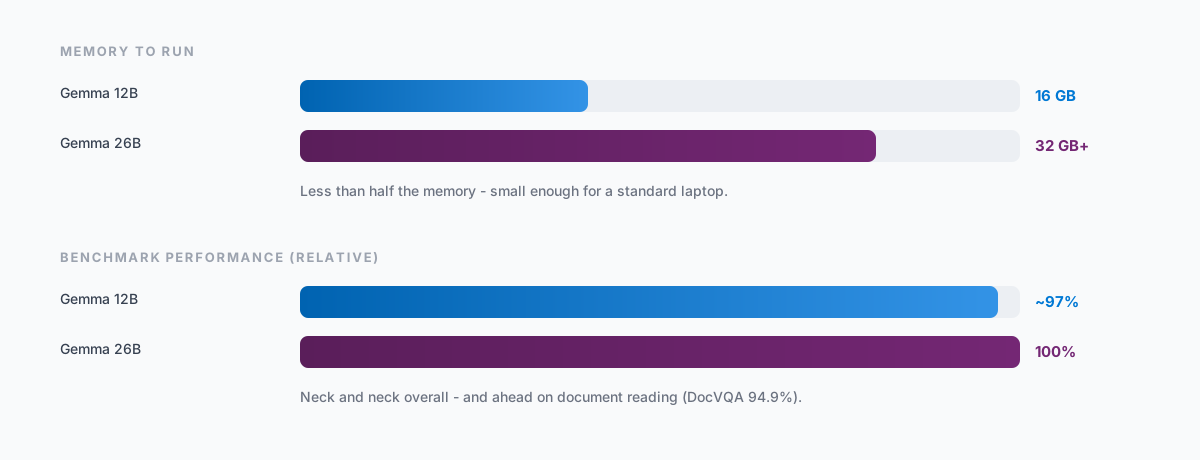
Here is the surprise: Google says the 12B performs nearly as well as the Gemma 4 26B while using less than half the memory. On benchmarks the two run close, and on document understanding - pulling text out of images, charts, and scanned pages - the smaller model edges ahead, scoring 94.9% on DocVQA.
In practice that means a model you can run on a single consumer machine. Early community testing clocked it at roughly 20 tokens per second on a mainstream consumer GPU, and on Apple Silicon the unified-memory design tends to be a comfortable fit. The weights are about 18 GB to download; you need 16 GB of memory to run them.
For years, "real" AI meant someone else's computer. That is starting to change.
Why running it locally changes things
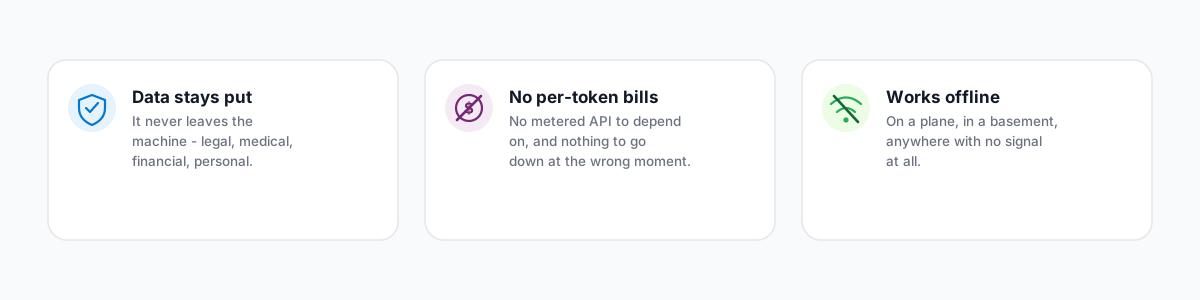
Keeping the model on your own device flips a few defaults. Your data never leaves the machine, which matters for anything sensitive - legal, medical, financial, personal. There are no per-token bills and no API to go down. And it works on a plane, in a basement, or anywhere with no signal at all.
Because the model can call tools, reason across multiple steps, and write code, it suits the kind of autonomous agent workflows that have mostly lived in the cloud. Google shipped a companion set of agent skills alongside it to help developers build exactly that, all of it running offline.
Where to get it
The weights are on Hugging Face and Kaggle now, with the ready-to-chat version published as google/gemma-4-12B-it. If you would rather not touch code, desktop apps like LM Studio and Ollama make it a one-click download once they package the model; developers can reach for Hugging Face Transformers, llama.cpp, or Google's own LiteRT-LM.
# Illustrative - check the model card for exact usage
from transformers import pipeline

pipe = pipeline("image-text-to-text", model="google/gemma-4-12B-it")
pipe("What's happening in this photo?", images="scene.jpg")
The one real requirement is a machine with at least 16 GB of memory, plus a little patience while a few gigabytes download.
What this means if you are building
A capable model that runs offline changes which AI features are worth building. The kind of work we wrote about in Document intelligence: pulling structured data out of PDFs, contracts, and invoices - reading invoices and contracts without sending them anywhere - gets easier to justify when nothing has to leave your network. For regulated data, an on-device model is often the difference between a feature you can ship and one you cannot. If you are weighing where AI fits in your product, this is the kind of shift worth planning around.
Got a project in this space?
We build this kind of work for clients across the UK and beyond. Tell us what you’re planning and we’ll come back within one working day.
Send a brief